
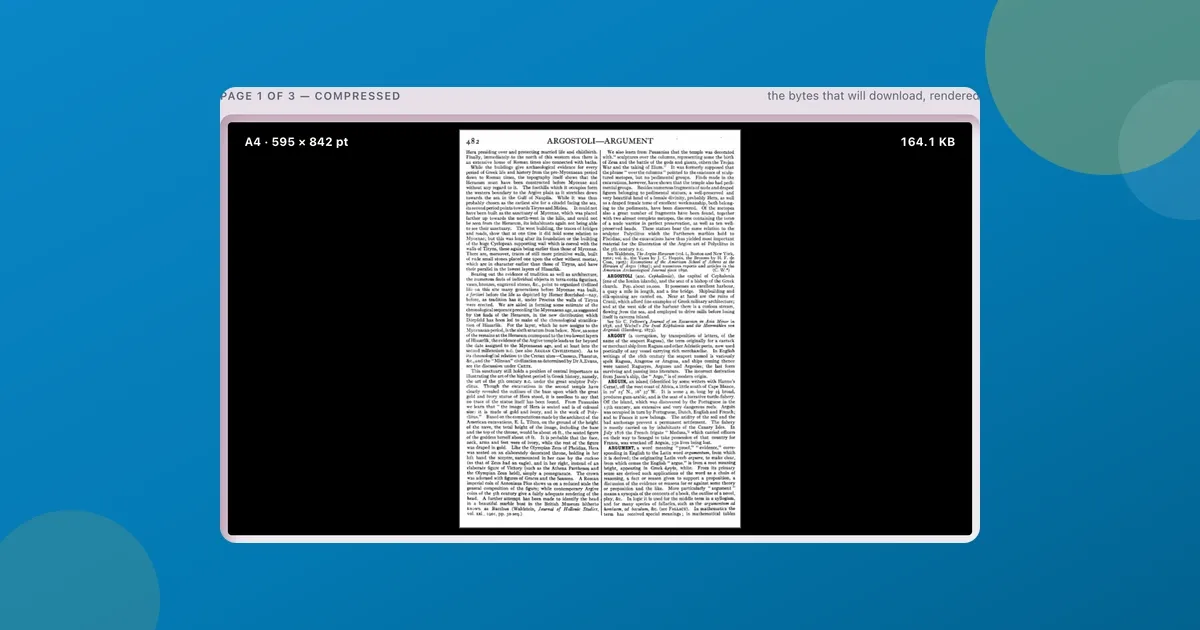
The upload form was blunt about it: “File must be under 1 MB.” My scanned PDF was 6.4 MB. The job application wouldn’t go a step further until I fixed that.
If you’ve hit the same wall (a portal that caps uploads at 1 MB or 2 MB, or an email that bounces a fat attachment), here’s how to get a PDF under the limit in about thirty seconds, for free, and without handing your document to anyone.
I’ll use ToolsTray’s Compress PDF because I built it. The advice holds for any compressor, though, so I’ll start with what’s actually making your file big and what a good tool should do about it.
Why your PDF is so big (it’s the images)
A page of text is tiny, a few kilobytes. What blows a PDF up to megabytes is images: scanned pages, phone photos, the screenshots in a slide export. A 12-page scanned contract is really twelve photos in a trench coat.
That points straight at the fix: squeeze the images and leave everything else alone.
The trap: compressors that flatten every page
Here’s the honest tradeoff, and it’s the thing a lot of “free PDF compressor” sites get wrong. Many shrink a PDF by turning every page into one flat image. The file does get smaller, but your crisp, selectable text becomes a blurry picture. You can’t search it or copy a line out of it, and it looks soft on screen.
A better compressor recompresses only the embedded images and copies the text and vector graphics through untouched. ToolsTray’s Compress PDF re-encodes each photo with the MozJPEG encoder at the quality you pick, so the words stay sharp and selectable. That’s the one thing I’d check for in whatever tool you choose.
Type the limit into Target size
Here’s the whole job:
- Open Compress PDF and drop your file on the Document box. It never uploads, which matters when the PDF is a contract or an ID.
- Under How much, press Target and type your limit into Target size (KB):
1000for 1 MB, or200if a form is stricter. - Press Compress PDF. Five preset strengths get tried against your file, from quality 28 at 700 pixels up to quality 80 at 2200, and it keeps the best-looking one that still fits under your number. The compressed copy shows up in the page well, where you can zoom into a photo or flip to the original, and Download saves it as
yourfile-compressed.pdf.
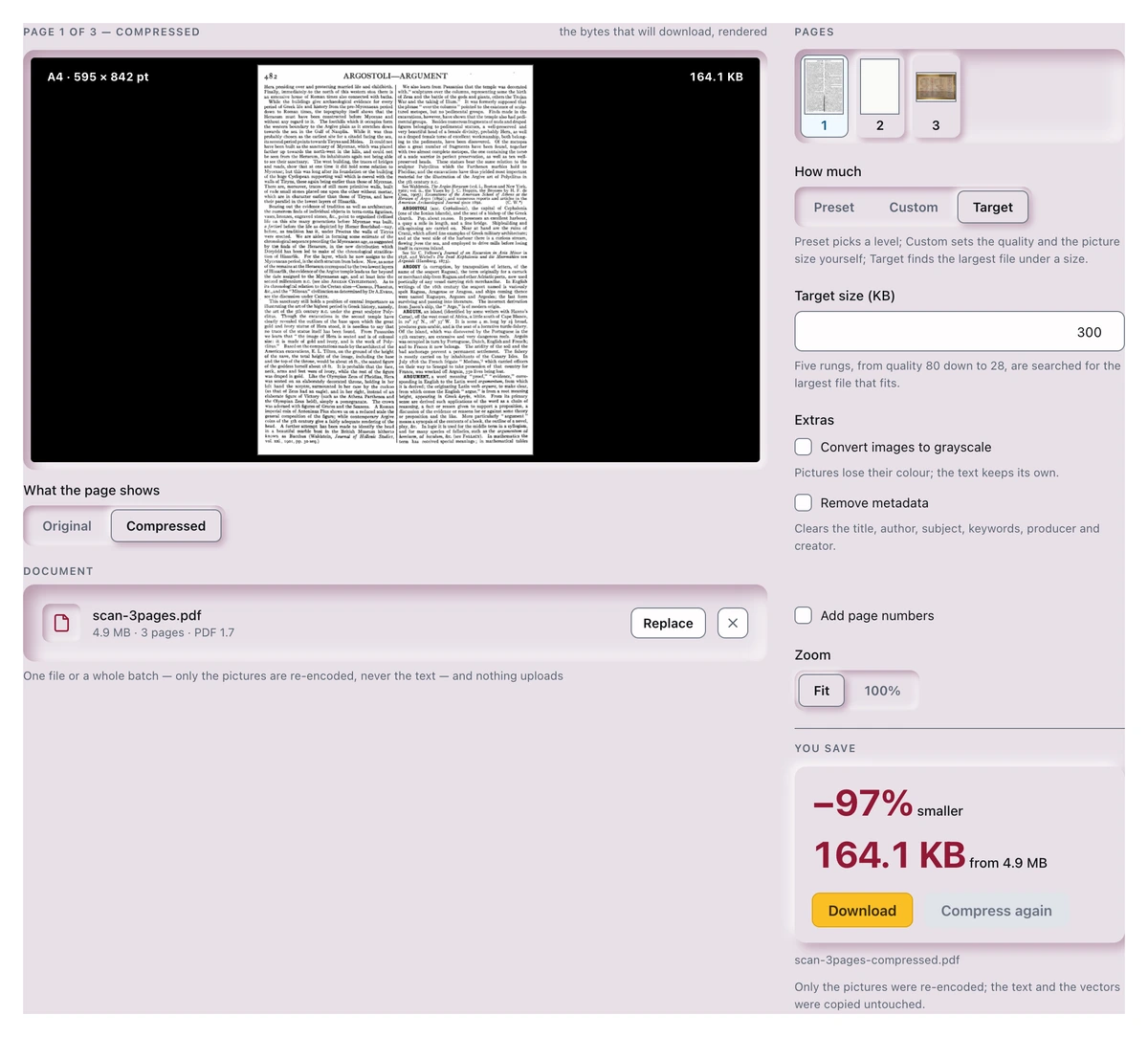
Target in action: a 4.9 MB three-page scan aimed at 300 KB came back at 164.1 KB, 97% smaller, all on your device.
If you don’t need an exact ceiling, stay on Preset, where Balanced is already picked: photos re-encoded at quality 62 and capped at 1600 pixels on the long side, the right call for most reports and decks. Light (quality 80, 2200 px) is for when the photos must stay crisp, Strong (quality 45, 1000 px) for when all that matters is making it small. Custom lets you set both numbers yourself.
When it barely shrinks (and that’s fine)
Compression isn’t magic. If a PDF is mostly text, already optimized, or built from image types that can’t be safely recompressed (anything with transparency, or CMYK images from a print shop), there’s little to remove. ToolsTray’s never hands you a copy larger than the original: when the rebuild comes out no smaller it says so, keeps your file, and suggests Strong if you haven’t tried it. And when Target can’t reach your number, you still get the smallest version it made, with how far over the limit it landed.
If a text-only PDF is somehow huge, the weight is usually embedded fonts or junk metadata rather than images, and that needs a different fix.
Why “no upload” is the part I care about
When the compression happens on your machine, your document never touches a server. For a payslip or a passport scan, the real choice is between trusting a random website with your ID and keeping the file on your laptop the whole time. Open your browser’s network tab while you use it and watch: nothing goes out.
It’s also why it’s free with no sign-up. There’s no server bill to cover when your own device does the work.
Compress PDF
Compress a PDF by re-encoding the pictures inside it, down to a KB ceiling if a form demands one. Text stays sharp.
Read next
 Students
A free Splitwise alternative with no app and no account
A free Splitwise alternative that runs in your browser: log who paid what, split a restaurant bill by item, and settle the whole trip in the fewest payments.
 Office Workers
Scan documents to PDF free without installing an app
Scan documents to PDF free with your phone or laptop: auto edges, straightening, a clean-up eraser, searchable text. All in the browser, nothing installed or uploaded.
 Content Creators
Remove an object from a photo for free, without uploading it
Remove an object or a person from a photo, free, in your browser. Brush over it and an on-device model fills the gap. No account, no watermark, nothing uploaded.