I build and run ToolsTray on my own: every tool, every test, and every word on the site. I am a software engineer, and the project came out of being repeatedly annoyed that a thirty-second job wanted an account first. Most of the catalog runs entirely in the browser on WebAssembly, which is the part of the work I find most interesting and the part I write about most. I test what I publish on real files before it ships, and I say where a tool stops working rather than leaving you to find out.
Articles
Students
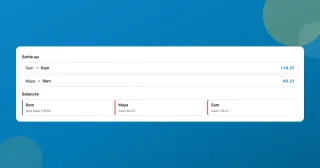
A free Splitwise alternative with no app and no account
A free Splitwise alternative that runs in your browser: log who paid what, split a restaurant bill by item, and settle the whole trip in the fewest payments.
Office Workers
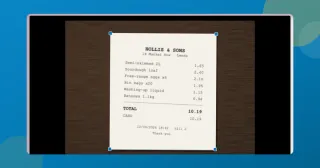
Scan documents to PDF free without installing an app
Scan documents to PDF free with your phone or laptop: auto edges, straightening, a clean-up eraser, searchable text. All in the browser, nothing installed or uploaded.
Content Creators
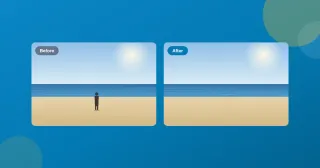
Remove an object from a photo for free, without uploading it
Remove an object or a person from a photo, free, in your browser. Brush over it and an on-device model fills the gap. No account, no watermark, nothing uploaded.
Developers
How I made a static site installable and offline
A static tool site with no backend, turned into an installable app that works offline without breaking ads, analytics, or consent. The service worker, and the scars.
Content Creators
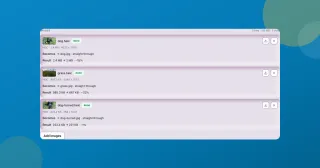
Convert HEIC to JPG free on Windows, no app needed
Convert HEIC to JPG free in Chrome, Edge or Safari on Windows, Mac or your phone: drop the iPhone photos in, press JPEG, download. Nothing uploaded.
Office Workers
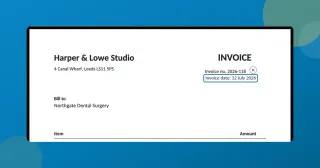
Edit text in a PDF without Acrobat, free in your browser
How to edit text in a PDF without Acrobat: click the line, retype it, download. The original text is actually replaced, free, with nothing uploaded.
Content Creators
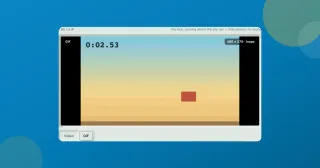
Convert video to GIF free, and keep the file small
Convert video to GIF free with two dropdowns, frame rate and width. What each one costs you, why long clips come out choppy, and where the 600-frame ceiling sits.
Students
Transcribe audio to text free, on your device
Transcribe audio to text free in your browser: a lecture, a meeting, a voice memo. Timestamps, SRT and WebVTT export, and nothing leaves your device or asks for an account.
Students
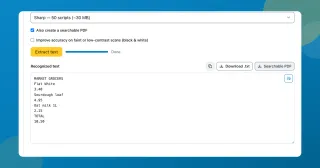
Extract text from a scanned PDF with a neural OCR engine
Extract text from a scanned PDF or a photo of a page, free. Choose Classic or the neural Sharp engine, then copy the words or take back a searchable PDF.
Content Creators
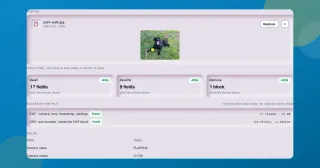
Remove location data from a photo, or just blank the coordinates
A photo can give away your front door to six decimal places. See what yours carries, remove location data from a photo, or clear only the GPS and keep the camera fields.
Office Workers
Merge PDF files free without sending them to a server
Merge PDF files free in about a second. Each PDF becomes a row you drag into order, bookmarks and filled forms come across, and the result opens to check before you save it.
Office Workers
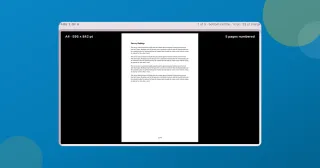
Add page numbers to a PDF free, and skip the cover page
Add page numbers to a PDF for free, right in your browser: pick the format and position, start the count where you want, and leave the cover page unnumbered.
Office Workers
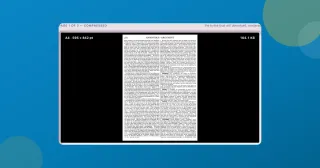
Compress a PDF under 1 MB for email, free with no upload
How to shrink a PDF under 1 MB so it actually sends, free with nothing uploaded, and keep the text sharp instead of blurring every page into an image.
Content Creators
Remove an image background free, right in your browser
Cut the background out of any photo and download a transparent PNG, free with no sign-up. An AI model runs on-device, so your image stays put.

Developers
Spotlight and tilt card hover effects (with the code)
How ToolsTray's tool cards get a spotlight glow and a subtle 3D tilt that follow your cursor, built with pointer events, CSS variables, and requestAnimationFrame.
Content Creators
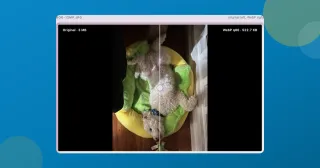
Reduce image file size when the upload box says 2 MB
What I actually do to reduce image file size on a phone photo: Smart compression, a KB target when a form demands one, and the max width that beats both.
Office Workers
How to email a large, sensitive PDF without uploading it
Payslips, bank statements, signed contracts: too big to email, too private to hand a random upload site. Here's how I shrink them right in the browser.
Developers
How to tell if an online JWT decoder is sending your token to a server
Plenty of 'JWT decoder' sites quietly POST your token to their backend. Here's the 10-second check I use, and why it's worth decoding locally instead.
Developers
WebAssembly turned my static site into a zero-backend app platform
I shipped a site full of real tools, image compression among them, as static files with no backend. WebAssembly does the work in the browser. Here's how.
Developers
How I auto-prioritize page content on a static site (no backend)
A static site has no server at request time. Here's how I rank my homepage's tools at build time from real analytics data and bake the order into the HTML.