There’s a wrong date on the PDF. The person who has the original Word file is on holiday, the thing is due today, and Acrobat wants a subscription to change eleven characters.
So here’s how to edit text in a PDF without Acrobat, free and in your browser. Along the way I’ll show you how most free tools that promise this quietly fake it. Once you know the trick, you can spot it anywhere.
I’ll use ToolsTray’s PDF editor because I built it, and because the hard part of building it was making sure it doesn’t fake the edit.
Why you can’t just click and type in a PDF
A PDF is closer to a drawing than to a document in the Word sense. Each line of text is a set of positioned glyphs, and the font that drew them is usually subsetted: the file carries only the exact characters that appear on the page. If the word “Invoice” is the only text, the embedded font holds seven letters. Type a “z” and there’s literally no glyph to draw it with.
That wall is why “edit PDF text free” almost always means one of two workarounds. Some tools convert the PDF to Word and back. The text becomes editable and the layout gets mangled. Most of the rest draw a patch over the old text and place new text on top. It looks right on screen, but open the file’s guts (or just select-all-copy) and the original words are still there, hiding under the patch. Real editing, which means rewriting the page’s drawing instructions and solving the font problem, lived in Acrobat and the commercial engines other PDF sites license.
That’s the machinery I ended up building.
Click the wrong line and retype it
- Load your file into Fill, Sign & Edit PDF. Everything happens locally and the PDF never uploads, which matters when it’s a contract or an invoice.
- Pick the Edit text tool and click the line that’s wrong. A box opens right over it, prefilled with the original wording and drawn in the document’s own font. Same face, same size, same ink. You’re editing what’s actually on the page rather than a stand-in that snaps into place later.
- Retype the part that changed and hit Fill & download.
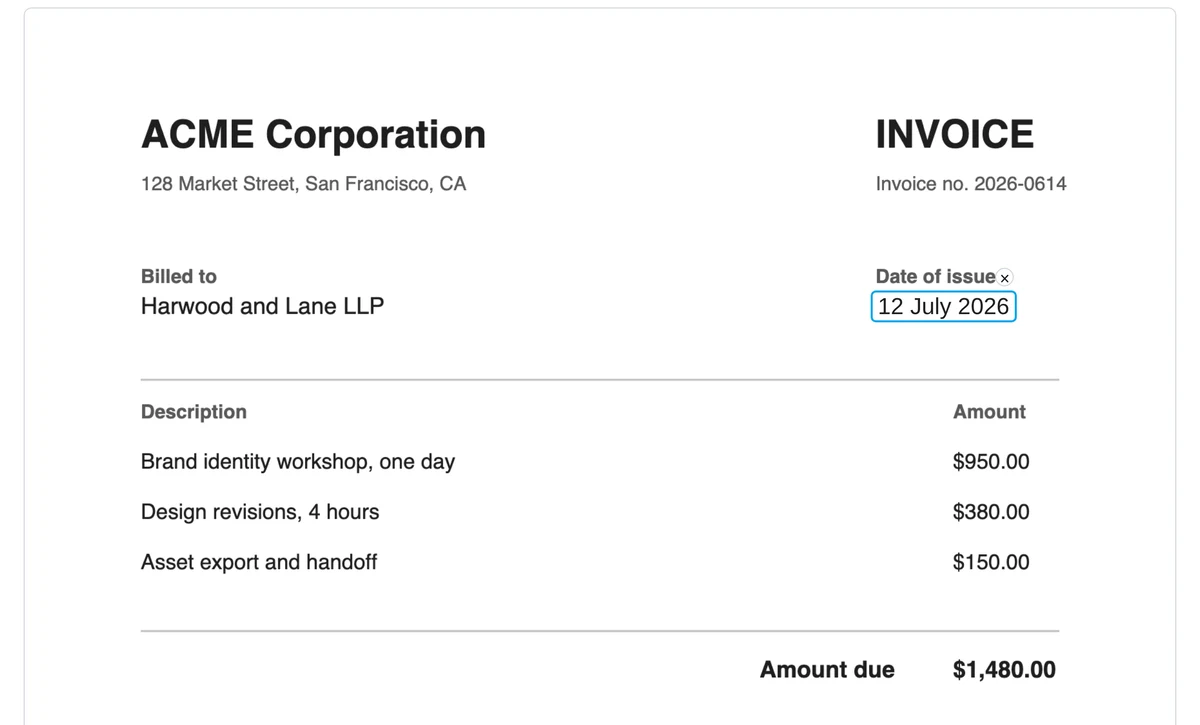
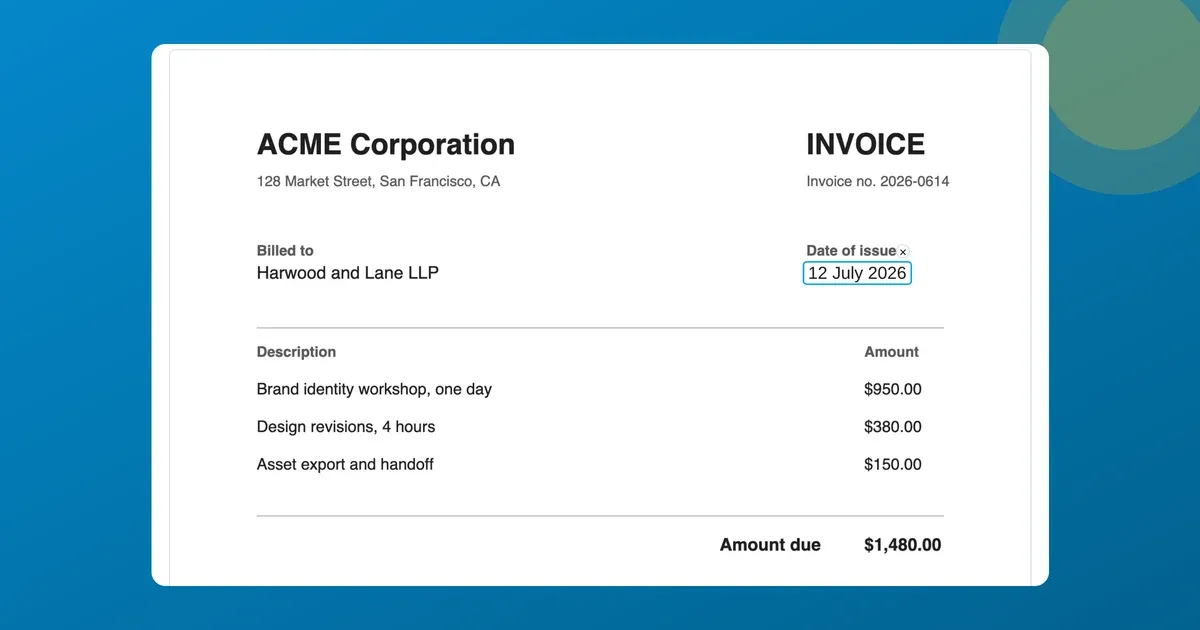
Click the wrong line, retype it. The June date on this invoice is becoming July.
When the download lands, the status line tells you in plain words what happened to each edit:

The receipt: this edit was rewritten with the PDF’s own font, and the old text is gone from the file.
What “edited in the original font” actually means
On export, the tool rewrites the page’s content stream (the drawing instructions inside the PDF) and takes the best path the file allows:
- The document’s own font, when it can. If the embedded font’s subset contains every character of your new text, the replacement is written with the original font. The invoice above says “1 edited in the original font” because “12 July 2026” only needs characters the file already had. The edited line is the same typeface at the same metrics, indistinguishable from the source.
- A metric-matched font, when it can’t. Type a character the subset never carried and the line is rewritten in a bundled face built to the same widths as Arial, Times, Courier, Calibri, or Cambria, reported as “edited in place” in the status line. This is exactly what the paid editors do too, Acrobat included, because no tool can conjure glyphs a subset doesn’t have. Either way the original text is deleted from the file. Nothing gets painted over.
- A safe fallback, when surgery is risky. Some PDFs are built in ways that make stream editing hazardous (rotated text, odd structures). Rather than gamble with your document, the tool falls back to the old-school cover-and-retype and reports it as “covered.” The page still looks right; the old text stays in the file underneath.
Before you get the download, the surgical version has to survive three checks: the engine re-parses its own output and verifies every line it didn’t touch sits exactly where it did, decodes the rewritten text back to confirm it says what you typed, and runs the whole file through a second, independent PDF engine. Anything off, and you silently get the safe version instead. A corrupted download isn’t a failure mode I was willing to ship.
What to check before you trust an edit
“Covered” means the old text is still there. When the status line says an edit was covered, the original remains extractable underneath. Fine for a typo, wrong for something sensitive. When text must be guaranteed gone no matter how the file is built, use a redaction tool; that’s its entire job.
Stylized fonts substitute imperfectly. A decorative headline face that can’t serve your new characters gets the metric-matched treatment. The widths are right and the look is close, without being identical. Body text passes without a second glance; check the preview on display faces.
Scans have no text to click. A scanned page is a photo. Run it through OCR first, or place a fresh text box over the image. Text you add gets the full toolbar: font, size, colour, and bold/italic/underline/strikethrough, applied to the whole box or to a single word you’ve highlighted, the way you’d expect in a word processor.
When Acrobat is actually the right answer
If you need paragraphs to reflow, where deleting a sentence makes the rest close up, that’s a full editing engine and worth paying for. Acrobat does it, and LibreOffice Draw sometimes manages free if you can live with layout drift. Dynamic XFA forms from some government portals are also beyond browser tools. For everything short of that (a date, a name, an amount, a wrong address) the click-and-retype route gets you a real edit in under a minute, free.